Need help with visa, Emirates ID, labour or business setup typing? Talk to Bab Al Zahiah Typing Center. WhatsApp us →

Remote Emirates ID reader support · All UAE

Emirates ID card reader setup & ICA agent support

We install, configure and fix the Emirates ID card reader and the ICA agent for the ICP e-channel — remotely over AnyDesk, usually in one session. Built for clinics, typing centres and busy offices.

No technician visit needed From AED 50 per computer Same-day fixes
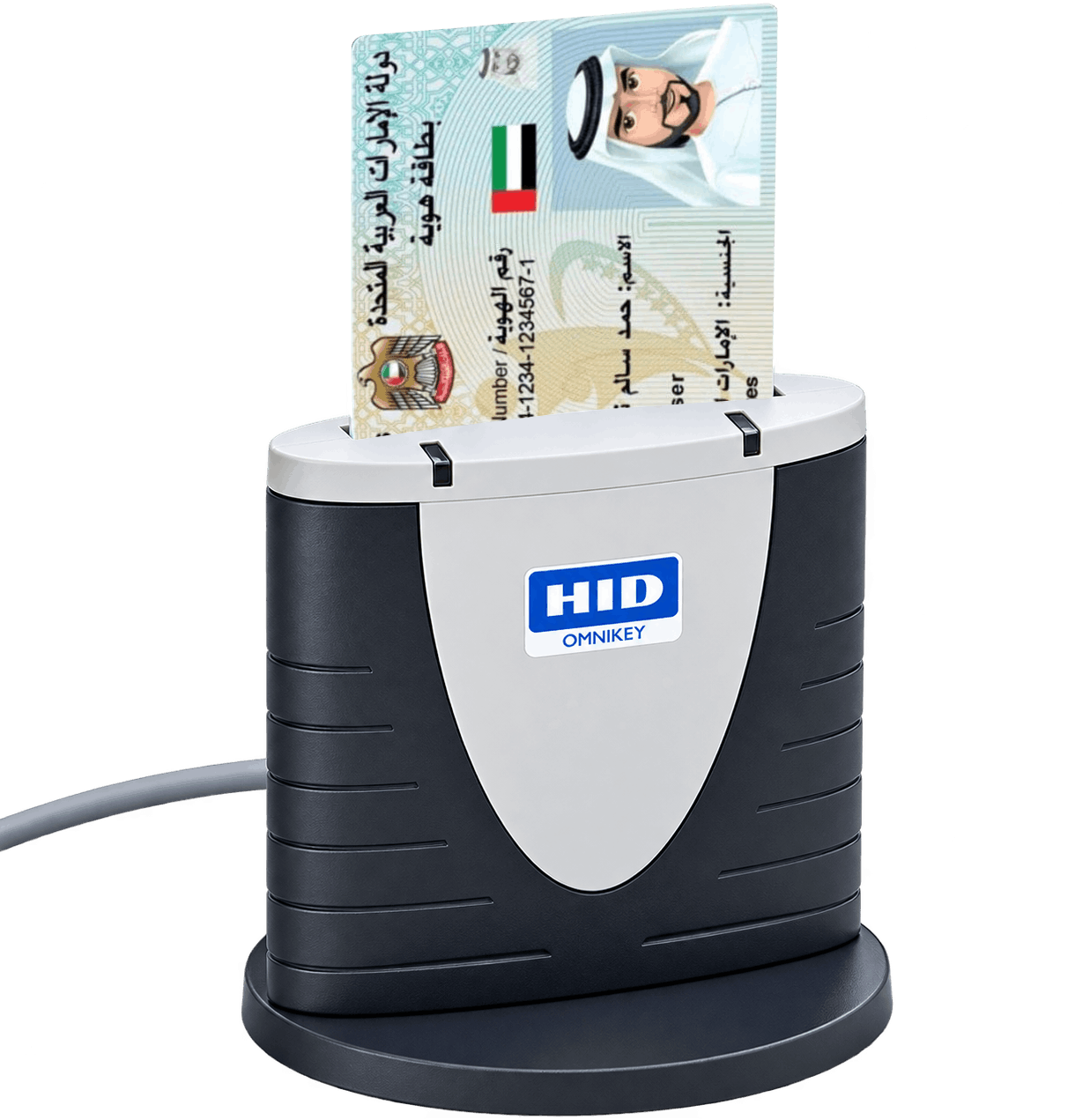
HID OMNIKEY smart card reader with a UAE Emirates ID inserted, ready to read on the ICP e-channel

Sound familiar?

If your Emirates ID reader suddenly stopped, we've seen it

These are the exact messages our customers search for — and the everyday problems we resolve remotely.

ICA agent is not running. Please install ICA agent… Emirates ID card reader not working Card not reading on the ICP e-channel Reader stopped after a Windows update OMNIKEY 3121 not detected Please install ICA agent or run it and try again

What we do

Two simple services, done remotely

You keep your own reader — we handle the software so it reads Emirates IDs on the ICP smart services portal.

New installation

Reader installation & configuration

You already have the card reader plugged in. Over a quick AnyDesk session we install the Emirates ID toolkit (the ICA agent), configure it for the ICP e-channel, and confirm a live Emirates ID read before we finish.

  • Install & set up the ICA agent / Emirates ID toolkit
  • Configure it for smartservices.icp.gov.ae
  • Driver check for your smart card reader
  • Live test read — you see it working

From AED 50 / computer

Troubleshooting

Remote troubleshooting & fixes

Was it working yesterday and now it isn't? We diagnose and fix "ICA agent is not running", readers that stop being detected, cards that won't read, and breakage after Windows or system updates — usually in the same session.

  • "ICA agent is not running" errors
  • Reader / card not detected on the portal
  • Problems after a Windows update or restart
  • Service & smart card settings restored

AED 50–100 / per incident

Who we help

Anyone who reads Emirates IDs to get work done

Medical centres & clinics
Typing centres
Pharmacies
Insurance & PRO offices
Law firms & consultancies
IT teams with multiple branches

How it works

From "not working" to reading IDs — in four steps

1

Message us

Send a WhatsApp with what's happening and the error you see.

2

Start AnyDesk

You share a quick remote session — no one needs to visit your office.

3

We fix & test

We install, configure or repair, then read a real Emirates ID to prove it works.

4

You pay once done

Simple per-computer price, only after your reader is working.

Covered

Readers, systems & problems we handle

  • OMNIKEY 3121 and other PC/SC smart card readers
  • Windows 10 & Windows 11
  • ICA agent / Emirates ID toolkit installation
  • ICP e-channel (smartservices.icp.gov.ae) setup
  • Smart card reader driver issues
  • "ICA agent is not running" and reader-not-found errors
  • Fixes after Windows updates or restarts
  • Multi-computer rollouts for branches

Pricing

Clear, per-computer pricing

No call-out charges, no surprises. Prices below are a starting guide — confirm your exact price when you message us.

Installation
From AED 50 / computer

Full remote install & configuration of the ICA agent, with a live test read before we finish.

Troubleshooting
AED 50–100 / incident

Diagnose & repair a reader that stopped working. Fast, remote, same-day where possible.

FAQ

Questions we get every week

Why does it say "ICA agent is not running"?
It means the browser cannot reach the Emirates ID toolkit (the ICA agent) that talks to your card reader — usually because the agent did not start correctly, a setting changed, or something broke after a restart or Windows update. We diagnose the real cause remotely and get it running again.
Can you fix it remotely, without a technician visiting?
Yes. Almost everything is done over a quick AnyDesk remote session, so there is no site visit and no downtime waiting for someone to arrive. Your reader just needs to be plugged into the same computer.
Which card reader do I need?
The OMNIKEY 3121 is the most common and reliable choice, but we support most PC/SC smart card readers. If you already have a reader, we work with it — you do not need to buy anything new to book us.
It stopped working after an update — can you help?
That is one of the most common jobs we do. Windows updates, restarts and system changes often knock the reader offline. We restore it and confirm a live Emirates ID read before we finish.
How long does it take?
Most installations and fixes are completed within a single remote session. Multi-computer rollouts are scheduled to suit your branches.
Which areas do you cover?
Because the work is remote, we help customers across all of the UAE — Sharjah, Dubai, Abu Dhabi and beyond — as well as on-site in Al Nahda, Sharjah.
How much does it cost?
Installation starts from AED 50 per computer, and troubleshooting is typically AED 50–100 per incident. You get your exact price when you message us — no call-out fees.
Get your Emirates ID reader working today

Send us a message with your problem and we'll get you reading IDs again — usually the same day.

Bab Al Zahiah Typing Center is an independent service provider and is not affiliated with, authorised by, or endorsed by ICA (Federal Authority for Identity, Citizenship, Customs & Port Security) or the ICP smart services portal. "Emirates ID", "ICA" and "ICP" are referenced only to describe the systems we help configure.